Review your plan
In your funding proposal, you set out a project plan. You should review that plan again and check it still makes sense for you, now you have more context about the ODP programme.
You’ll use your plan to track your progress against. To help you do this, it should include:
- milestones that you can track progress against
- the timelines you indicated in your ODP application form (if these have changed since then, raise it with your community manager)
Document your plan in whatever format or tool that works best for you. A tool other LPAs use to do this is Trello - there’s more guidance on using it below.
Microsoft Planner is a great alternative if you don't have access to Trello
Trello is a tool you can use for project planning
Trello is a collaboration tool that organises your projects into boards. It makes it easy to see what's being worked on and who by.
Trello helps you visually track and manage all the activities that will progress your project.
You’ll be able to:
- Set up your project boards and see progress
- See which tasks are not yet started, in progress, and done
- Assign tasks to key owners on your project
- Stay up to date on changes on any activity
How to set up a Trello board
- Create an account using your LPA email address.
- Follow the prompts to create your first board.
- Share it with all other members of your team.
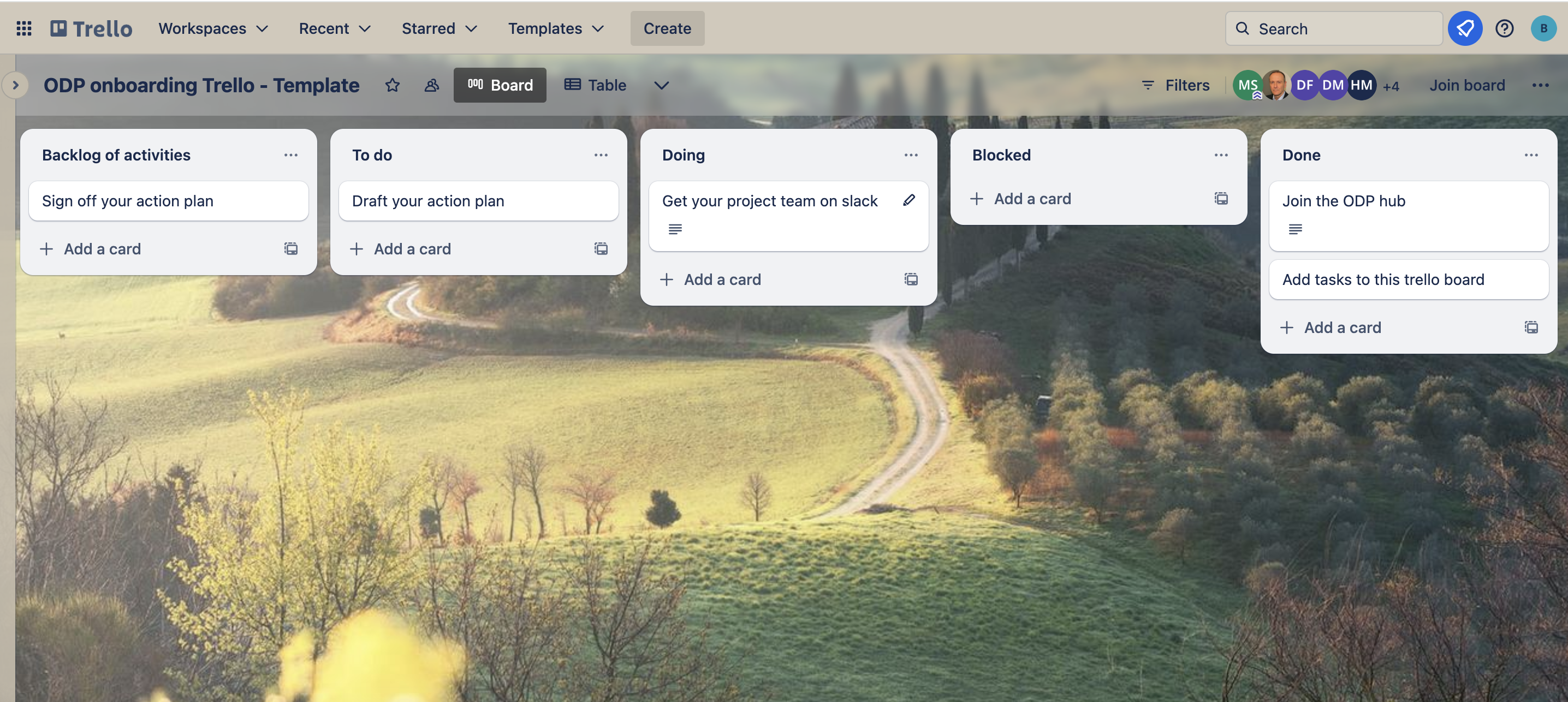
- We recommend you set up your board with these column headings:
- Backlog - this is where you can put all the tasks that need to be done at some point
- To do - this is where you can put the tasks that need to be done soon
- Doing - move tasks to this column when someone has started working on them
- Blocked - move tasks to this column when something is stopping you working on them
- Done - move tasks to this column when they’re complete
- Add all the tasks you know you need to complete as ‘cards’ in the Backlog column.
- Select a card and add the person who is going to complete that activity as a Member.
Using your board
It’s best to have regular team meetings to agree which cards you’re going to move from the Backlog column into the To Do column.
Then, team members can take the tasks from the To Do column in any order and start working on them, moving them across the board according to their status.
You can add notes, documents, deadlines and labels to each card if it’s helpful for you to keep track of your team’s work.
You can also add Checklists to individual cards if there are more granular tasks that you need to capture and tick off. If there are too many Checklist items or any grow too big, you can also convert these to standalone cards.
Play around and see what works for your team, and ask your Community Manager if you need help.